
One family, three production choices
Start with Pro. Move to Max when the final asset needs the quality-first pass. Use Flex when typography and small visual details are central to the job.
Model Family
Generate and edit with FLUX.2 Pro, Max, and Flex in a focused single-reference workflow. Choose Pro, Max, or Flex without leaving the page.
Pro is the default. Flex adds control, while Max prioritizes fidelity.
FLUX.2 Pro uses 1 credit per image.
Generated Image will appear here
Black Forest Labs designed FLUX.2 as a generation-and-editing family for detailed images, readable text, product compositions, and controlled creative work. This page keeps the production variants together so you can choose Pro, Max, or Flex before every run.
Text promptNew image
Reference image + instructionUpdated image
Current workspace: one reference image and a fixed 1MP result. BFL's broader FLUX.2 platform supports higher resolutions and multi-reference workflows that this interface does not expose yet.
FLUX.2 is BFL's production-oriented image family for both new images and edits. Its official materials focus on photorealistic detail, coherent scene composition, text rendering, exact color direction, and stronger prompt following. The variants share the family name while targeting different finishing decisions.
60-second summary
Start with Pro. Move to Max when the final asset needs the quality-first pass. Use Flex when typography and small visual details are central to the job.
Generate starts from words. Edit combines one uploaded image with an instruction, then returns a new image that follows the requested change.
BFL documents multi-reference work and output up to 4MP. Provider limits vary by variant. KontextAI keeps the first release deliberately focused at one reference and 1MP.
BFL positions Max with grounding and Flex with advanced control. The current Replicate-backed form exposes neither a grounding switch nor Flex steps, guidance, or prompt upsampling.
Open the first-party sources for provider-specific limits, model history, local deployment, and licensing details.
Official examples
This small official BFL selection shows product placement, multi-reference composition, and focused editing. The full model supports more references than the current KontextAI workspace.
 Reference
 Result
The reference person remains recognizable while the result introduces the supplied cream knit product and preserves a believable outdoor photograph.
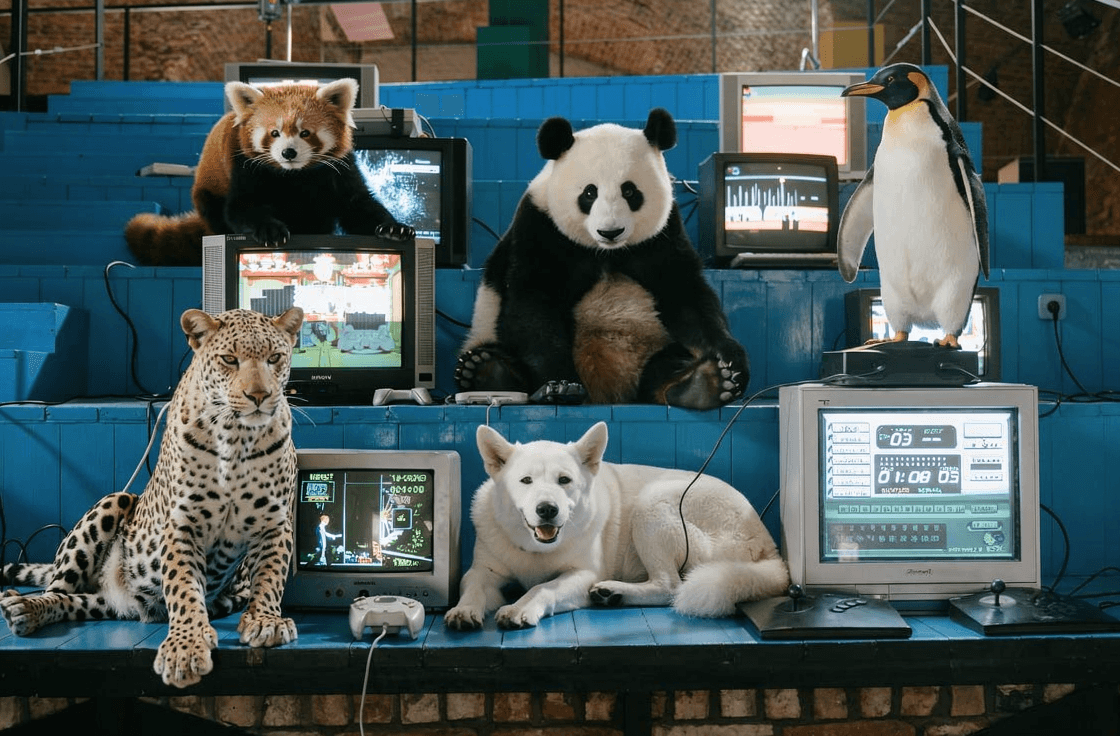
BFL's official output places several distinct characters inside one workstation scene while keeping scale, lighting, and spatial relationships readable.
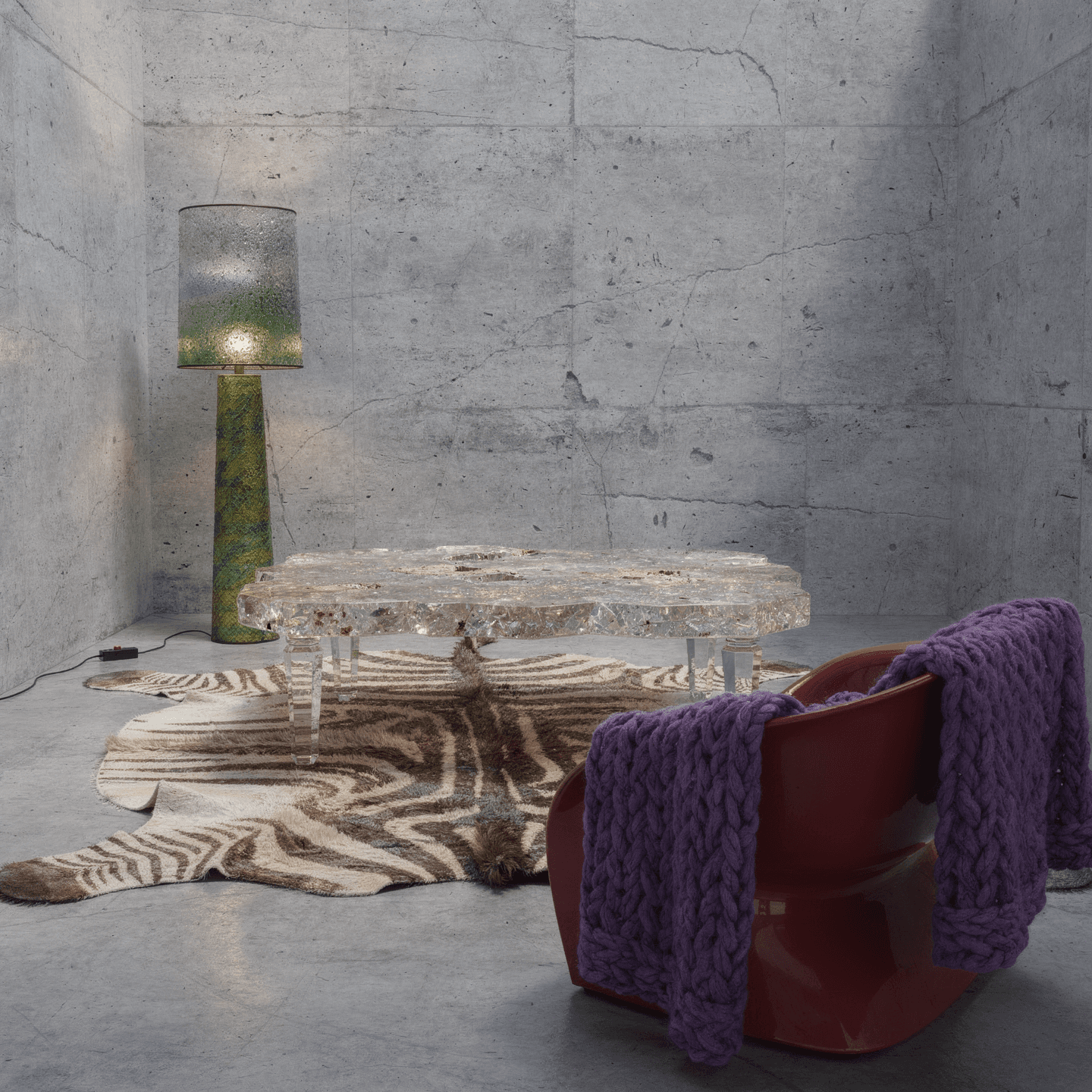
A concrete room, separate furniture references, and a purple knit texture become a single furnished composition with consistent perspective and light.
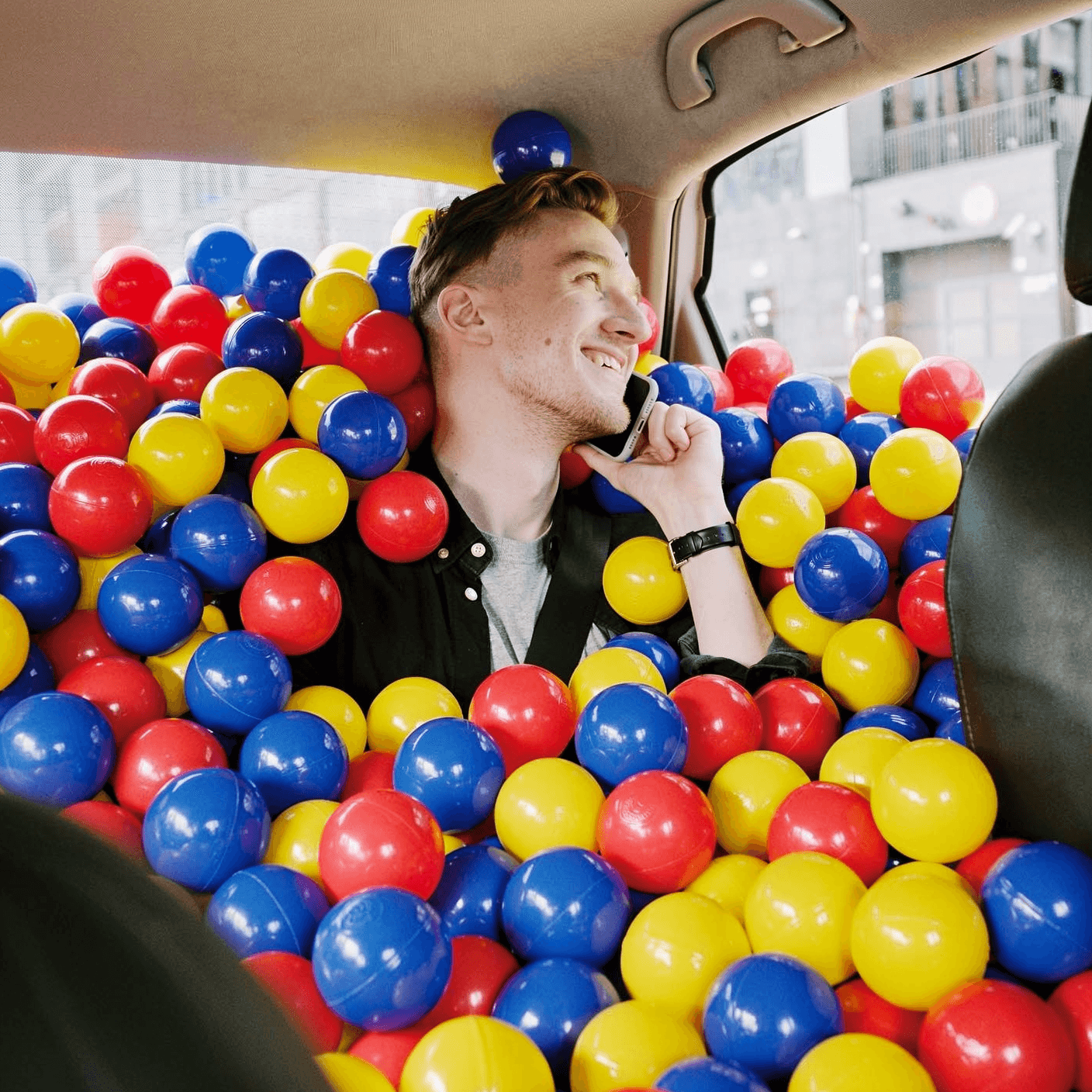
The person and car interior stay in place while colorful balls fill the surrounding space, demonstrating a constrained scene edit.
Images are a small attributed editorial selection from the official BFL FLUX.2 page.
Core capabilities
FLUX.2 is most useful when detail, composition, and communication all need to survive the move from idea to usable asset.
Create believable materials, lighting, perspective, and small scene details across product, portrait, and environment work.
Build marketing concepts, labels, posters, and interface mockups where readable text and specified colors matter.
Use an image to carry a subject, object, layout, or style into a new result while preserving the parts that define it.
How it works
The workspace keeps mode, model choice, and prompt intent explicit so an intended edit never silently turns into a new generation.
Start from text, or add one reference image when the result needs to preserve visual context.
Use Pro first, Max for a quality-first pass, or Flex when typography and precision lead the brief.
Download the result or revise the prompt with one clearer instruction before generating again.
Use cases
Use these structures as a briefing template. Replace the subject, setting, and protected details with your own.
Move a product into a campaign setting while keeping its materials, proportions, label, and brand colors recognizable.
Prompt structure
“Place this product on a sunlit stone table in a coastal café; preserve the exact shape, label, material, and brand colors.”
Prototype posters, packaging, landing-page visuals, and interface directions before committing to a production shoot or full design pass.
Prompt structure
“Create a premium launch poster with the headline 'MAKE IT VISIBLE', clean grid typography, deep navy background, and coral accents.”
Keep a recognizable subject while changing wardrobe, environment, light, or visual treatment.
Prompt structure
“Move the person into a quiet train carriage at golden hour; preserve facial identity, hairstyle, pose, and camera angle.”
Test a new interior, product surface, color system, or visual world while keeping the composition legible.
Prompt structure
“Redesign this room with brushed aluminum furniture and warm cork walls; keep the layout, perspective, and window positions unchanged.”
Choose a variant
All three variants generate and edit. Pro is the predictable starting point; Max and Flex each justify the extra credit for a different reason.
FLUX.2
Production-grade quality and consistency for most generation and editing work.
1 credit per image
FLUX.2
The quality-first option for complex briefs, stronger fidelity, and polished final assets.
2 credits per image
FLUX.2
The precision-first option for typography, small details, and deliberate compositions.
2 credits per image
Prompt guide
A useful FLUX.2 prompt describes the subject and scene, then adds composition, lighting, style, text, and preservation instructions only where they matter.
State what you are making and who or what must appear before adding art direction.
Name the environment, camera distance, perspective, placement, and negative space that define the layout.
Use concrete visual language such as soft north-window light, brushed metal, editorial photography, or flat vector art.
Place headlines, labels, and replacement text in quotation marks and state where the text belongs.
Call out identity, pose, product geometry, framing, color, or background elements that must remain stable.
FAQ
The practical details to know before selecting a model or spending a credit.
FLUX.2 is Black Forest Labs' image family for text-to-image generation and reference-guided editing. BFL positions it for production detail, text, color direction, coherent composition, and stronger prompt following.
Start with Pro. Choose Max when final fidelity and difficult prompt following justify a second credit. Choose Flex when typography and fine visual control are the core of the brief.
Generate accepts a text prompt. Edit accepts one reference image. Both return a fixed 1MP image in WebP, JPG, or PNG. The wider FLUX.2 platform supports additional references and resolutions, yet those controls are not exposed here today.
BFL documents grounding as a Max capability. The current KontextAI Replicate flow has no grounding control, so this page does not promise live search or current-event retrieval.
Replicate's Flex schema contains advanced controls, but this first workspace keeps them fixed and hidden. Select Flex for its model positioning, then provide the clearest possible brief in the prompt.
Use the dedicated Klein page for rapid drafts, high-volume ideation, and a direct 4B-versus-9B choice. Return to Pro, Max, or Flex when a production or final pass matters more than iteration speed.
Usage rights depend on the selected hosted model, your references, and the KontextAI and provider terms that apply to your account. Review those terms before publishing or selling an output.
Generate from a prompt, add one reference for an edit, and keep each revision focused enough to evaluate.